 Zero
ZeroHow to Add & Use Scapia RuPay Credit Card on Google Pay & UPI
With credit-card-on-UPI adoption surging across India, Scapia provides a companion virtual RuPay credit card alongside its classic Visa travel card. This allows you to scan any merchant QR code and pay directly from your credit line. Here is the exact walkthrough for linking with Google Pay and PhonePe, plus the ₹500 minimum spend reward rule that surprises most cardholders.
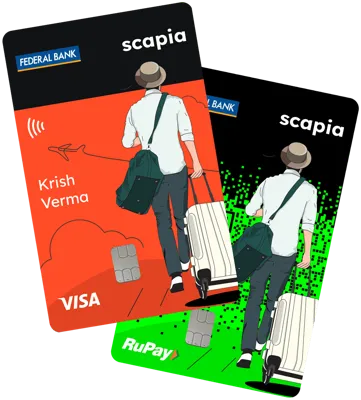
Scapia dual-card system: Classic Visa card for offline/POS & RuPay virtual card for instant UPI QR scans.
Step-by-Step: How to Add Scapia Card to Google Pay & PhonePe
Because Scapia cards are co-branded across two issuers (— Federal Bank and BOBCARD — read our Issuing Banks Guide), selecting your exact issuing partner in your UPI app is critical:
1. Adding Scapia to Google Pay (GPay)
- Open Google Pay and tap your profile picture at the top-right corner.
- Select RuPay credit card on UPI (or Bank accounts & cards).
- Check your Scapia app profile to see if your card is issued by Federal Bank or BOBCARD. Search and tap your corresponding issuing bank name in Google Pay.
- Google Pay will automatically discover your linked RuPay card via your registered mobile number.
- Enter the last 6 digits and expiry date of your virtual RuPay card (viewable inside the Scapia app) and enter the OTP to set your 4 or 6-digit UPI PIN.
2. Adding Scapia to PhonePe & Paytm
- Open PhonePe > tap your Profile > tap Link RuPay Credit Card on UPI.
- Choose Federal Bank or BOBCARD from the bank list.
- Authenticate with OTP and set your UPI security PIN.
How RuPay UPI Spends Earn Rewards on Scapia
Unlike standard credit cards where every small rupee spend earns fractional points, Scapia enforces a minimum transaction floor to avoid low-value spamming:
| Transaction Amount | Scapia Coins Earned | Effective Net Rupee Value |
|---|---|---|
| Under ₹500 | 0 Scapia Coins | 0.00% (No rewards) |
| ₹500 and above | 5% Scapia Coins (5 coins per ₹100) | 1.00% net cash value (5 coins = ₹1 on travel bookings) |
Do UPI Spends Count Toward Lounge Access?
To unlock Scapia's unlimited domestic airport lounge access, you must spend a combined total of ₹20,000 or more in the preceding billing cycle.
Frequently Asked Questions
How do I add my Scapia RuPay credit card to Google Pay?
Open Google Pay, tap Profile > RuPay credit card on UPI. Search and select either Federal Bank or BOBCARD (as displayed on your Scapia app profile), then enter the last 6 digits of your virtual card to set your UPI PIN.
Do I automatically get a RuPay card when applying for Scapia?
Scapia issues its primary Visa card first. Once your account is active and verified, you can activate the companion virtual RuPay card with 1 tap inside the Scapia mobile application.
Are there any category exclusions on UPI spends?
Yes. Spends on fuel, utility bills, rent payments, wallet loading, government services, insurance, and real estate are strictly excluded from earning coins regardless of transaction size.
Can I pay a friend using Scapia RuPay UPI?
No. In accordance with NPCI & RBI regulations, credit cards on UPI are restricted to merchant/business QR codes (P2M). Peer-to-peer (P2P) transfers to personal bank accounts are blocked.